

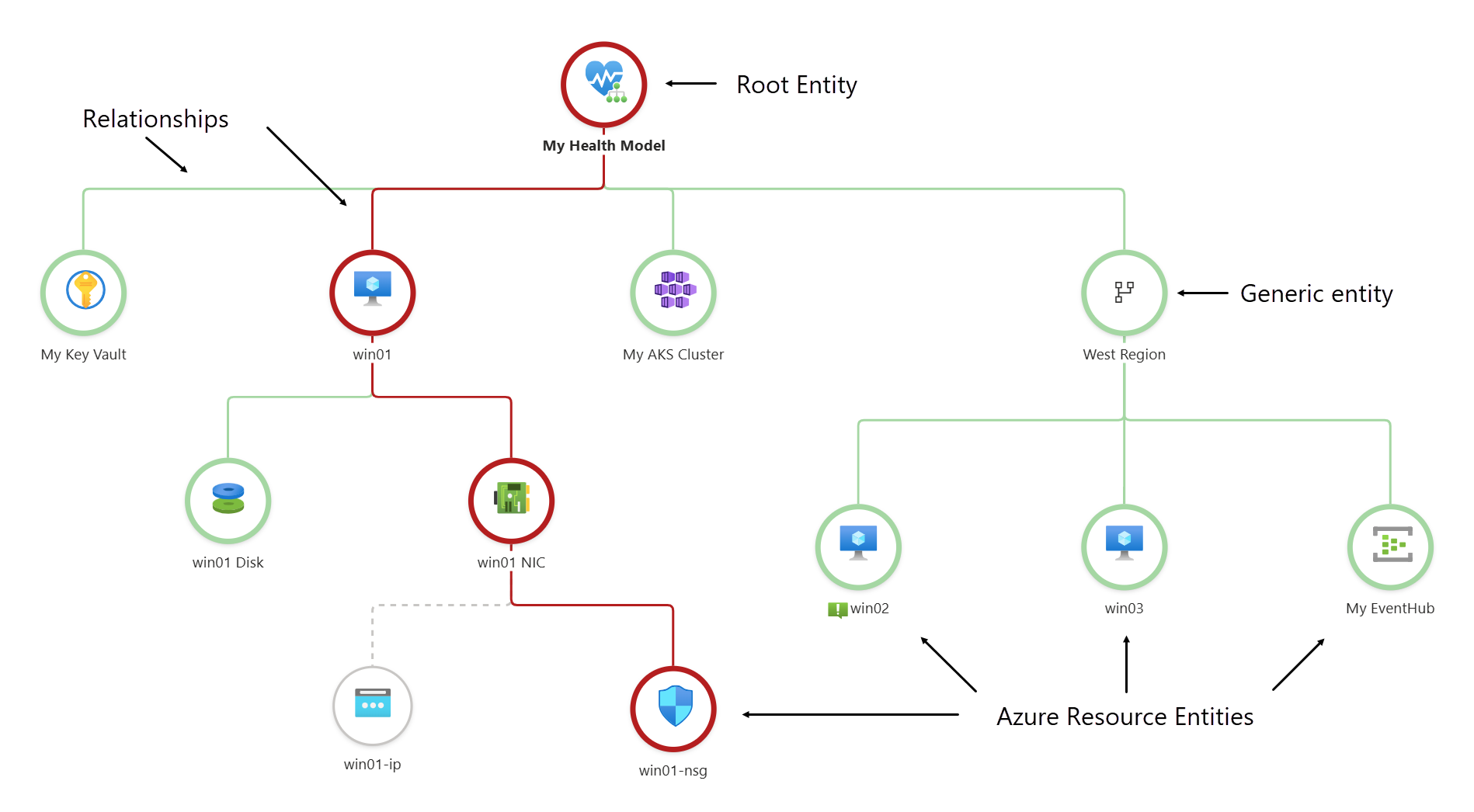
Welcome back to our Indispensable Azure Tools series. This time, we’re exploring the Health models in Azure Monitor. A new feature in Azure that allows you to define and track the health of the Azure resources in your service groups and the resources they depend on.
If you’ve ever looked at a monitoring dashboard full of green checkmarks while users were still complaining? you already understand the problem Health Models are trying to solve in Azure Monitor. Traditional monitoring tells you whether individual resources are up or down. It does not tell you whether a service, application or business capability is actually healthy. Health models bridge that gap by shifting the conversation from signals to outcomes.
The Health Model
At its core, a health model is a structured way to describe what “healthy” really means for a workload. Instead of treating metrics, logs and alerts as isolated data points, Azure Monitor Health Models allow you to define relationships between components, dependencies and signals, and then reason about health at a higher level. The result is a model that reflects how your system works in the real world, not how Azure resources happen to be grouped.
This new concept in Azure monitor concept aligns closely with how most architects already think. An application is not a Container, an App Service or a Database. It is a chain of dependencies. If one link degrades, the user experience degrades, even if everything is technically still “running”. Health models make those dependencies explicit. You define components, connect them to underlying resources, and map the signals that matter for each part. Azure Monitor then continuously evaluates those signals and rolls them up into a meaningful health state.
One of the most powerful aspects of health models is that they are opinionated by design. You decide which signals are relevant and how severe they are. A brief CPU spike might be noise for one workload and a critical incident for another. Health models allow you to express that context instead of relying on generic thresholds. This is especially valuable in complex or multi-tenant environments where one-size-fits-all alerting quickly breaks down.
Health models also introduce a clear separation between signals and health. Signals come from metrics, logs, alerts and availability checks. Health is an interpretation of those signals. This distinction sounds subtle, but it is crucial. It means you can change how you interpret data without changing how you collect it. As your architecture evolves, your health logic can evolve with it, without ripping out existing monitoring.
Faster triage
From an operational perspective, this unlocks better conversations. Instead of asking “which alert fired”, teams can ask “which service is unhealthy and why”. This naturally leads to faster triage and more focused incident response. It also makes it easier to communicate status to non-technical stakeholders, because health states can be aligned with business services rather than infrastructure components.
Health models fit neatly into the Azure Well-Architected Framework, particularly in the Reliability pillar. The framework emphasizes understanding failure modes, dependencies and blast radius. Health modeling is a practical way to operationalize those principles. By explicitly modeling dependencies, you make failure impact visible. By defining health criteria, you create a shared understanding of acceptable behavior and risk.
Another important angle is scale. As environments grow, alert fatigue becomes unavoidable if you rely solely on resource-level alerts. Health models provide a natural aggregation layer. Teams can still drill down into detailed signals when needed, but day-to-day operations can focus on service health rather than alert volume. This is a critical step toward mature, sustainable operations.
Modeling real-world workloads
It is worth noting that Azure Monitor Health Models are still evolving. Currently available in public preview, they already offer a strong foundation, but the real value will emerge as organizations start modeling real-world workloads and feeding back their lessons learned. Based on early experiences, the biggest wins come when health models are treated as living artifacts, reviewed and refined just like architecture diagrams or runbooks.
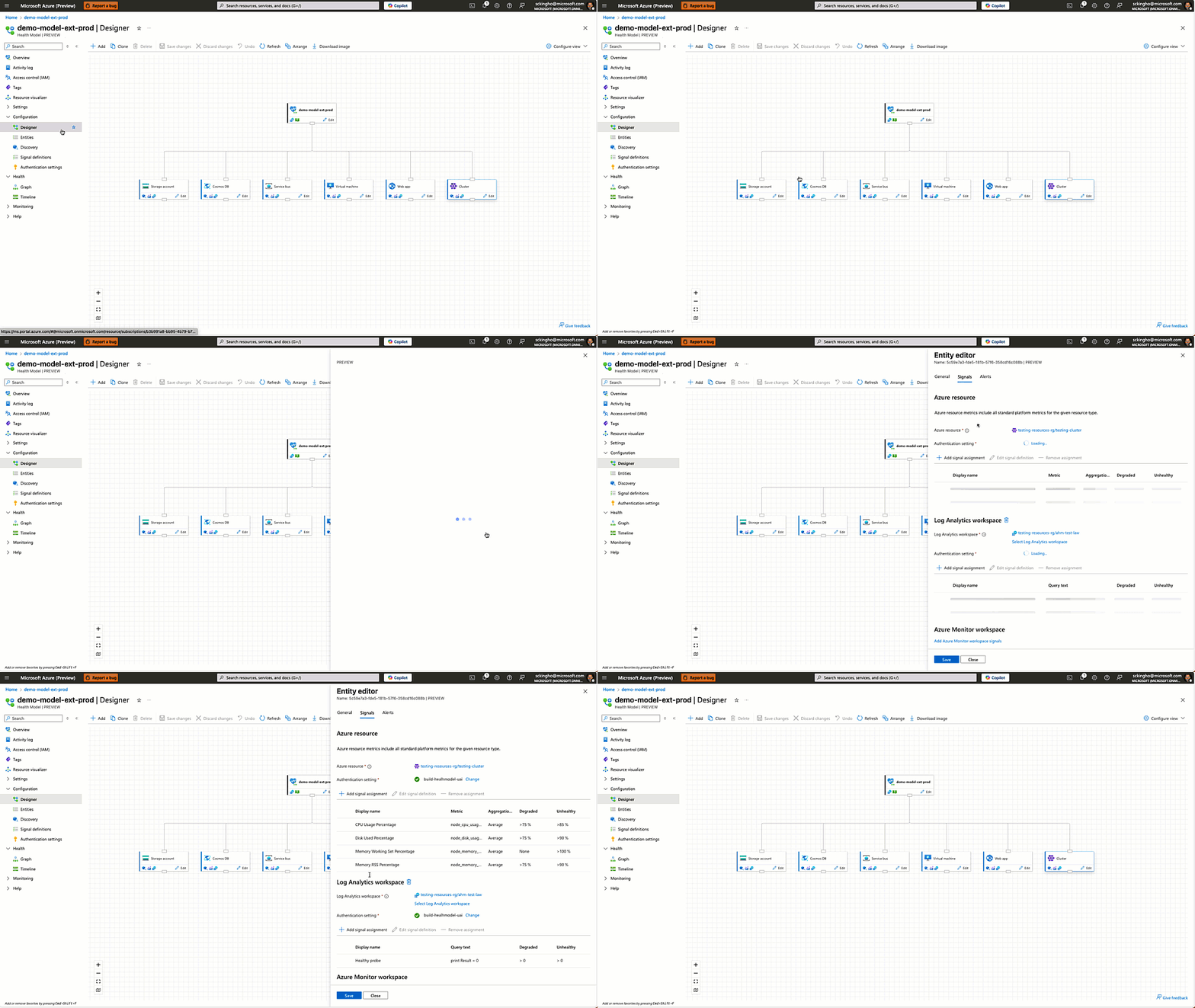
For organizations already investing in Azure Monitor, health models are a logical next step. They do not replace existing monitoring practices; they elevate them. By adding structure and intent on top of raw telemetry, health models help teams move from reactive firefighting to proactive service management.
This post is part of the Indispensable Azure Tools series by DevOps Masterminds. Explore the full series here.
Stay tuned as we continue to highlight the tools that make building on Azure smarter, faster, and easier to manage.